

Let us be clear – our strategic narrative GPT will not build the sales deck that changes your business on its own. Sorry. But it will help you do it faster, easier, and better, and help your teammates do the same. It can take your words, website, and brand, and reformulate them into something that gets pretty darn close, with brevity that most teams struggle to achieve.
Decks are difficult to build on one’s own because most go-to-market teams suffer the “curse of knowledge” – they know so much that they clutter the slides with every conceivable feature and benefit. All of us know prospects can only take in so much, but sometimes we can’t resist. That’s why it’s helpful to have guardrails that shave your bullet points down to what people can actually consume. We built this GPT to achieve that.
Below, we explain how to use the GPT, and you’ll also find step-by-step video clips to guide you. You can access the pitch deck GPT here and can watch a full demo, recorded at one of our recent GTM AI labs, here.
This is an installment in a many-part series based on our GTM AI Labs, virtual meet-ups where our portfolio companies get their hands dirty applying AI to GTM problems. If you’d like to join our community, please register here.
How the pitch deck GPT works
As we mentioned, this pitch deck GPT is not about to replace anyone on your marketing team; it is not autonomous. Your results will vary and you must know enough about your buyer and market to steer ChatGPT. That said, it will absolutely replace your old process of slowly building one deck and struggling to edit it down. We find it allows our portfolio teams to rapidly iterate on new messaging that’s shockingly well-tuned to the customer. It is a design prototyping tool, however, and you still need to apply judgement and ask for help from a designer. Treat it as a brainstorming buddy, a source of inspiration, and a way to get to the end faster.
After all, how many times have you seen a messaging idea and thought, “I can’t tell if that’s good because I’d have to see the finished version”? Now, you can jump straight to that final state.
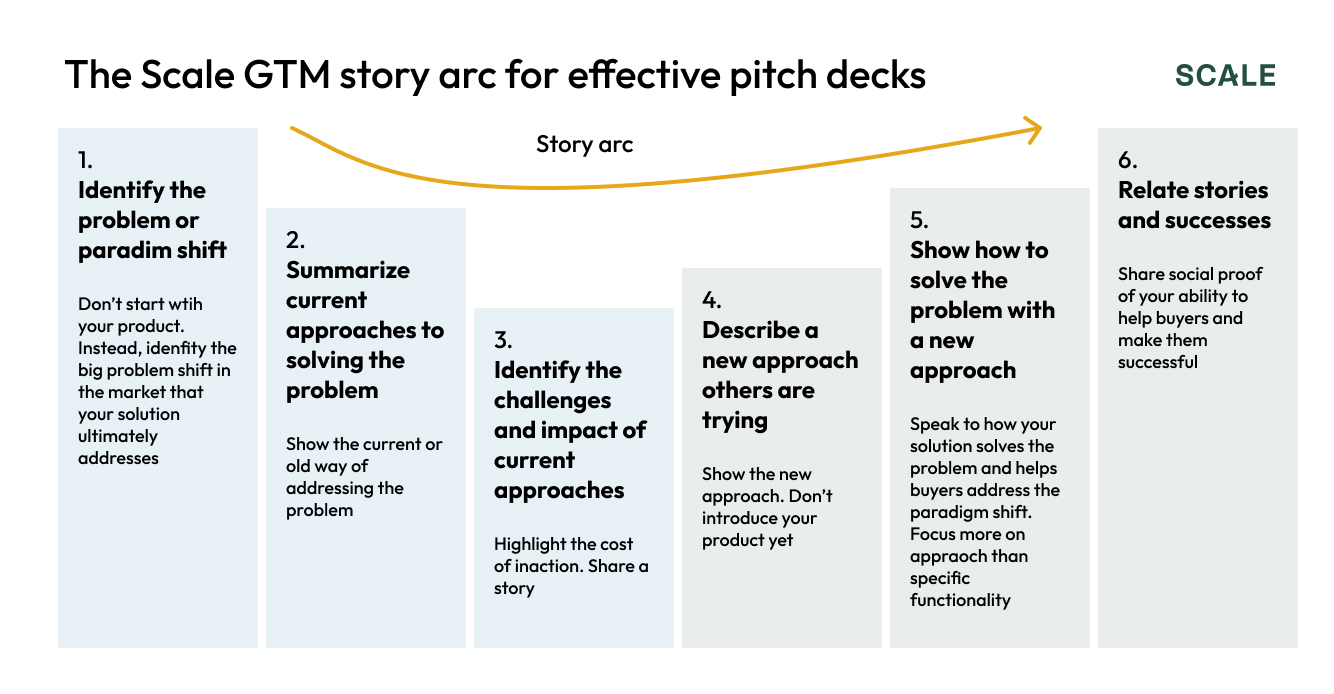
How this GPT came about: Robert Koehler and Pete Giordano trained it on Scale Venture Partners’ sales narrative framework, pictured below, and other best practices collected from our CRO executives in residence. It can guide you to upload or enter what it needs to build your deck. If you’re like Pete, you can make this even easier by using dictation mode to just talk to it.
How to do it
Launch the pitch deck GPT. We like to view it in what’s known as canvas mode, where it splits the screen into two windows so you can converse with ChatGPT and see the output side by side.
Ask the GPT, “What do I need to do to create a six-slide strategic deck?” It will guide you through the following list – which you needn’t complete in order, by the way. This is one of the great benefits of non-deterministic technologies like LLMs. It’s pretty close to just having a conversation with a teammate.
1. Describe your company
If you are established and your website is relatively accurate, just enter your domain. If you have more information, like a new strategy deck, brand guide, or transcript of your founder giving a talk, upload those as well.
At each stage, our GPT will reflect back its understanding and you’ll correct it.
2. Tell it about your target audience
Give it all the detail you can. Ask it to present its understanding of your target audience and offer suggestions and improvements. What we find delightful about this process is that ChatGPT isn’t as emotionally invested as we are in our work. It sometimes gives a savagely concise edit.
3. Story Arc
Ask it to tell you the story arc and it will generate that story for your review. Give it feedback.
4. Give it to your brand styles
Our GPT does a pretty good job extracting your colors, fonts, and logo from your website, but more specificity is better if you prefer to upload those directions – especially if you have any fonts that appear only in graphics.
5. Ask it to generate visual examples
In the canvas, the GPT will show you very rough visual mockups that may include elements from your website or any graphics you fed it. It will also give you a suggested talk track. You will notice that we’ve set it up to revise its earlier work, so while you can interrupt it, we don’t recommend it – it will keep doubling back on its earlier phrasing to correct itself and ensure everything coheres.
The result is a strategic, six-slide deck. How’d yours turn out?
6. Go back and forth with ChatGPT – or another tool
From here you can simply chat with ChatGPT to make revisions or you can pull that information out. Ask it to export the HTML or copy-paste the narrative into another tool more purpose-built for creating presentations such as Gamma or Beautiful.ai.
What we’ve learned in this
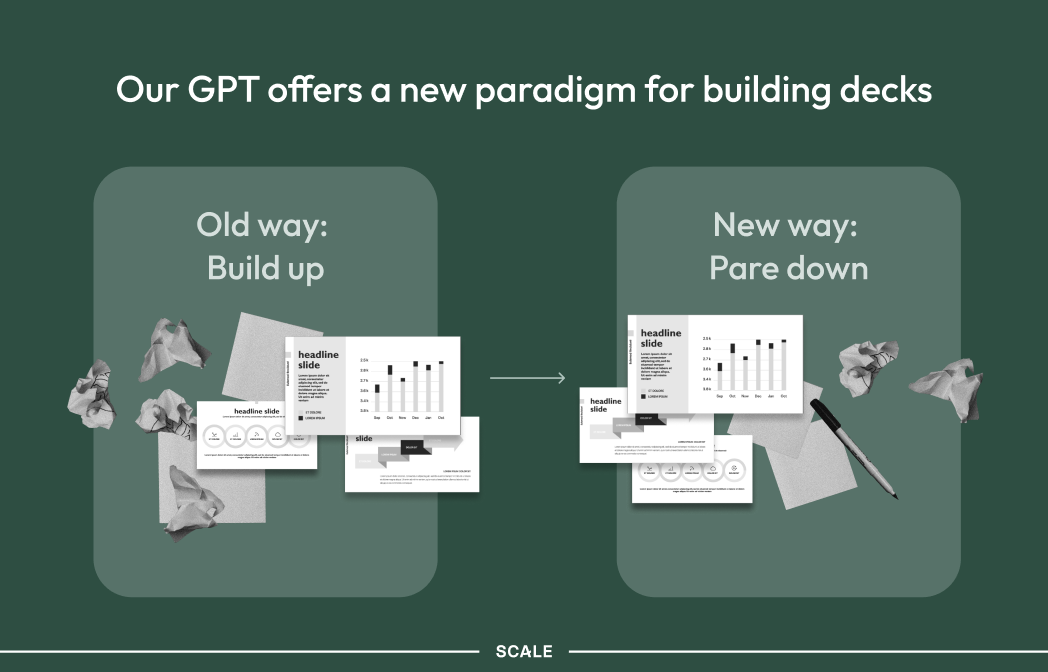
GTM teams really struggle to “kill their darlings”, as writers say, and tend to try to pack in too many features and benefits. Their decks tend to look like a battlefield of compromise strewn with fallen keywords. This GPT may require correction and guidance, but it will be unfailingly concise and dispassionately pick the few top points. It isn’t always right. But this process – and the speed with which you can complete it – offers a new way to quickly iterate on your narrative.