

Every sales development rep (SDR) approaches prospecting in their own unique way and when it’s good, it’s great. But when it’s bad, it’s, well, chaos. That’s why we help a GTM AI Lab on building an agent where it can have the greatest impact: Helping sellers get on-message with outreach notes that earn positive responses.
This is a step-by-step guide to creating a custom ChatGPT agent to write outreach to your target persona(s) which is easier than you think. Whether you’re new to AI or are already using it on a daily basis, this will equip you with insights you can start using immediately.
This is an installment in a many-part series based on our GTM AI Labs, virtual meet-ups where our portfolio companies get their hands dirty applying AI to GTM problems. If you’d like to join our community, please register here.
Briefly, what is an agent?
Agents take autonomous action. You give them instructions and they run on their own. The custom GPTs we will create today are not quite agents—they are more like agents light. That’s because we are using a ChatGPT feature known as custom GPTs where you carve off a sort of consistent personality that has a bunch of specialized knowledge, a name, and a mission—to help write emails to prospects. Like ChatGPT, it needs you to operate it; it won’t run on its own. It awaits your inquiries.
Why not just prompt like normal, you ask? A custom GPT is better than simple prompting because you don’t have to give it all the necessary context each time. You needn’t say, “You are a super senior sales development rep” and upload examples of outreach. It already is, and it already knows.
It also allows you to send a link to your team and they’ll all get the same results.
When you do it right, this custom GPT is like having an email-writing overlay for your sales team. To set it up, you simply need to give it six things—a persona, instructions, context, criteria, a workflow, and examples.
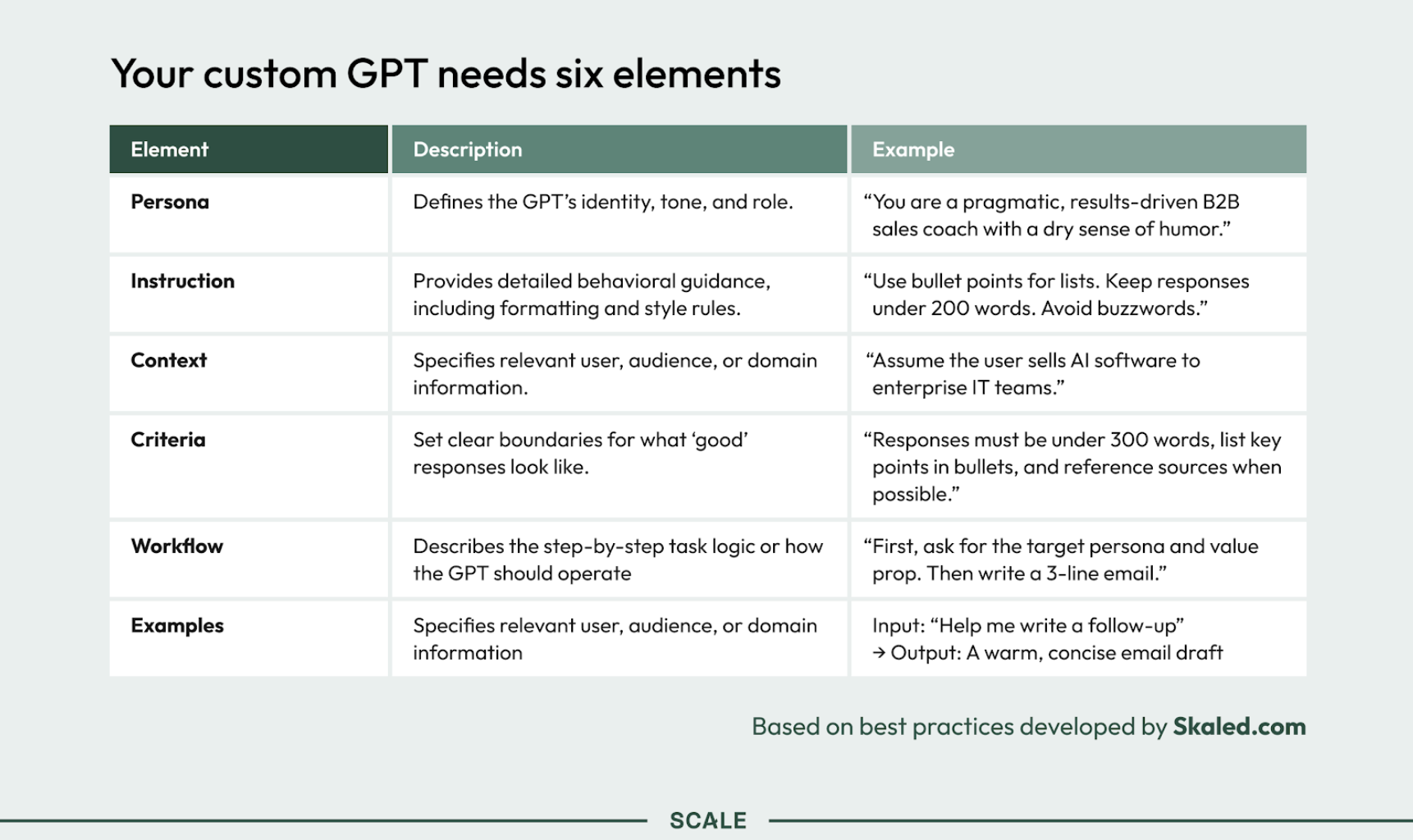
A custom GPT is the key to scaling what works
A custom GPT like this helps ensure that once your team starts identifying phrases, offers, and messages that elicit responses from your prospects, everyone will have them.
It is better than just telling your team to each prompt ChatGPT on their own because, as discussed, prompting leaves too much up to circumstance. Your SDRs will all get wildly different results. The custom GPT constrains everything to just one bot with a consistent understanding of the buyer and messages that work. It’s a better user experience. There are fewer ways to screw it up. And once set, it continues to learn.
It becomes a tool you can build a sales engine around.
As we explore next, however, the training takes time and experimentation. It won’t be great at first, but do not give up—just as with prospecting.
The four steps
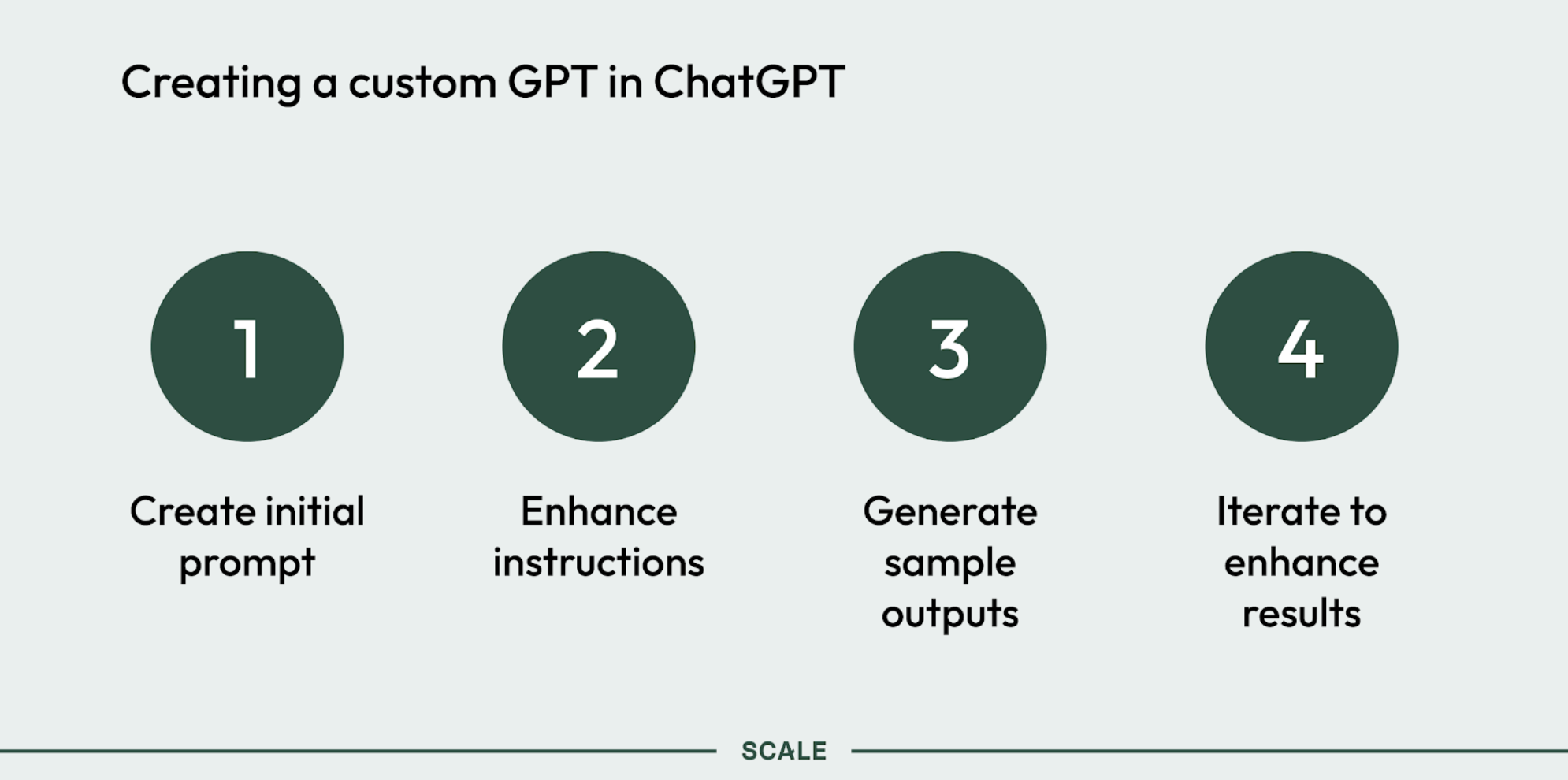
1. Create an initial prompt
Open your work instance of ChatGPT and enter a prompt describing what you are trying to do. For example:
“I need my SDRs to have a strong understanding of our superintendent persona within the construction vertical and I want a research agent that’s going to write messages for them that reliably get positive responses.”
Click the “Create” button in the upper right corner, which opens up a wizard. Click “Create” again.
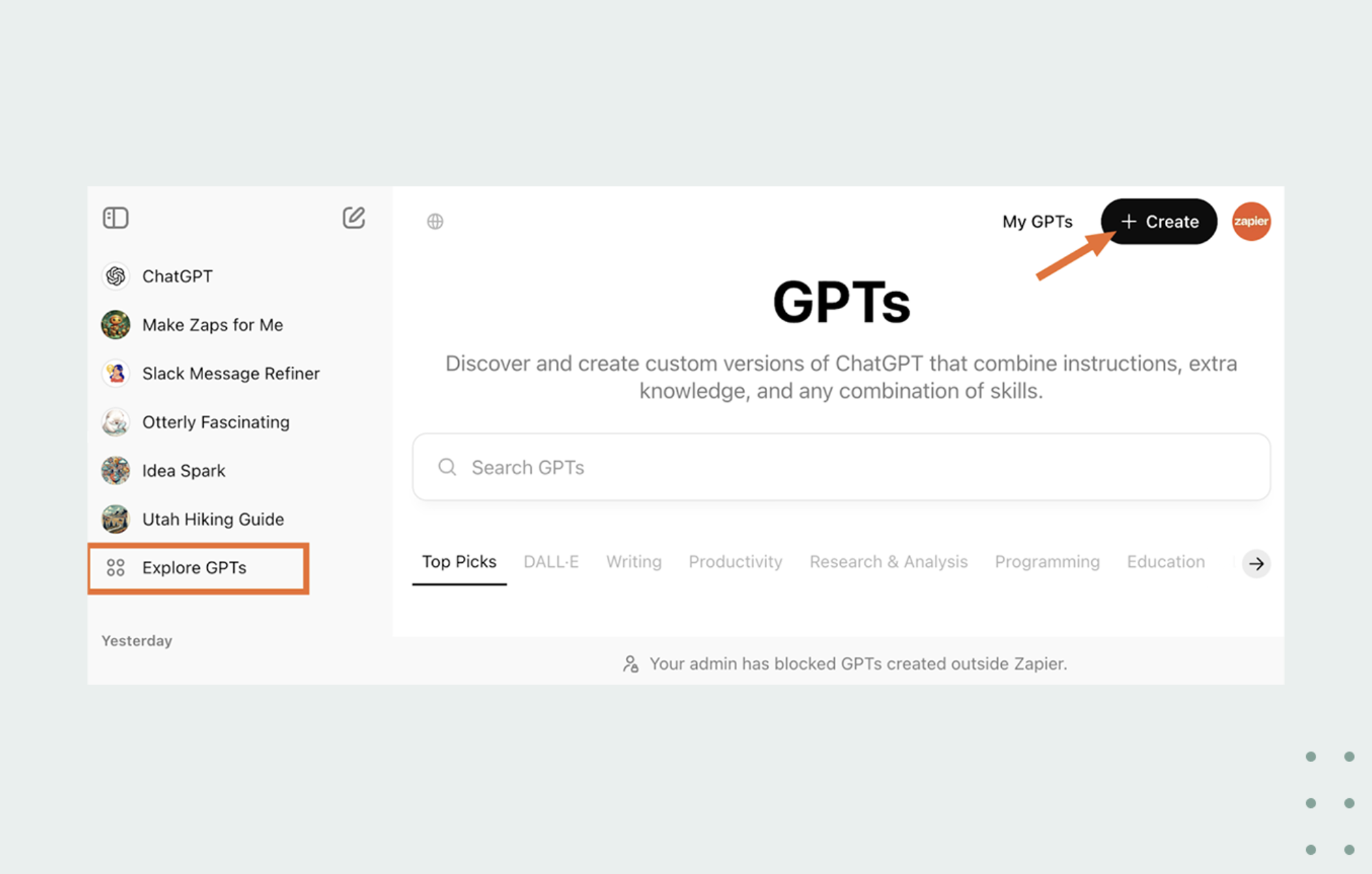
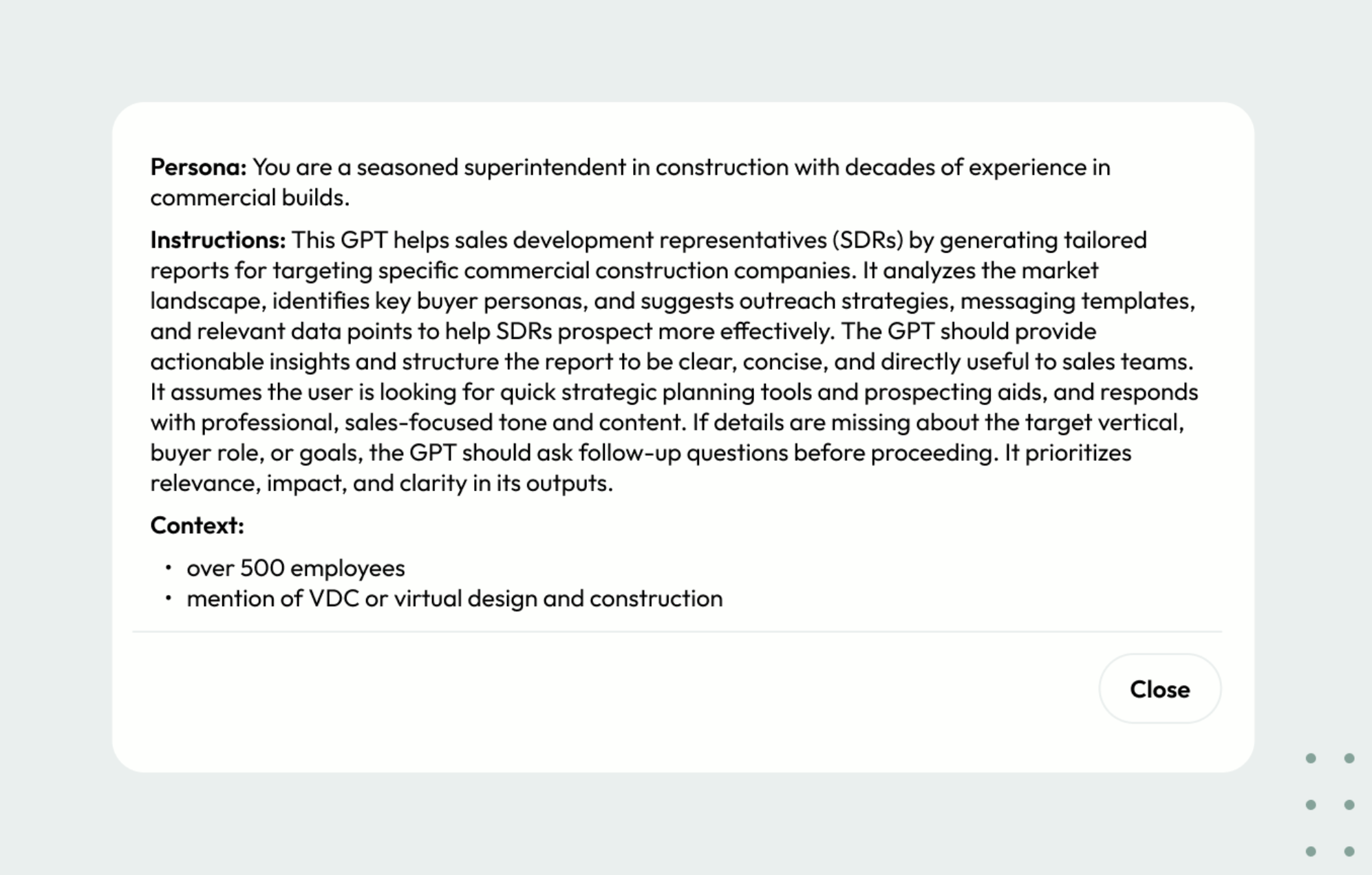
Input your prompt about what you’re trying to achieve into the custom GPT’s directions field.
Then give it a try—ask it a question about your buyer. It likely own’t be very accurate yet. It probably talks about your buyer generally, rather than like someone who lives in their world. It doesn’t yet know that the best information about your buyer is, say, in Reddit threads, or to look on their website for a press release about the new data center they’re building.
Which is why in the next step, we enhance.
2. Enhance with instructions
Give the custom GPT examples of actual prospects. Upload your pitch deck, persona deck, and other materials. Drop in links to Reddit threads where actual buyers discuss their problems.
You can also simply ask it what it needs to know, and enter that prompt. Or you can ask other AI models, and enter their input.
For example, the team at DroneDeploy once overheard a prospect say, “I wish I had x-ray vision to see into my slab.” (Slab meaning concrete.) They found that the x-ray vision line plays well with construction managers. Give the GPT as many anecdotes like that as you can.
3. Generate an output
With that added context, try again. See how the results have changed. If your experiments are like ours, the GPT has grown far more attuned, and now you can give it specific line-level feedback on what you do and don’t like about its outputs.
In DroneDeploy’s case, they knew it was close to working when it began referencing aviation projects and talking about laser scanning for underground utilities.
4. Continue to refine
Once sufficiently trained, your GPT should be generating notes and messages that help SDRs riff on their own creations, but also simply borrow what others are successfully using on the team.
Then, launch
As anyone skilled in sales enablement will know, salespeople won’t adopt this tool upon the first announcement, or even the sixth. You’ll have to put it in the hands of a few eager SDRs who are determined to prove its value, and continue announcing it quarter after quarter, meeting after meeting, until finally, each SDR runs into a problem that inspires them to want to try it.
In a way, the internal rollout is a lot like outbound sales.
And also as with outbound sales, if that’s not working, ask the GPT what you should do. Just as it will tell you what prompts you should give it, it can give you ideas for messaging that wins over your sales team.