How to use AI to make standardized account plans
Guide to using AI for consistent, comprehensive account plans at scale. Templates and automation workflow.
.png)
Account research is time-consuming. Experienced sellers can’t spare the hours, and junior sellers lack the expertise to know what to look for. Even when they do research, the quality varies wildly, which often makes it unusable for go-to-market programs that scale. But this is one area where you can orchestrate AI to help.Several AI models and agents can help you perform the research. You can then use orchestration tools like Zapier to automate that research workflow and deliver the synthesized result into the CRM where it’s most useful, which is what Blake Cohlan, VP of integrated campaigns and demand generation at UpGuard, created at his prior company, SupportLogic.“Individual research didn’t scale for us,” he says. “After realizing that, our main idea was to drive account research using no-code tools and LLMs so we have that cross-functional value of research in a standardized way.”This article explains the setup Blake built, graduating from one-off prompts to a scalable workflow that resulted in consistent information their entire go-to-market team could use.
Standardized research gives sellers time back
At SupportLogic, Blake found that the sales and sales development teams were doing research differently, and that within each team, every individual was doing research differently. When they launched an ABM initiative to target 100 in-market accounts, Blake wanted a uniform foundation that could power all their go-to-market activities.To start, Blake created a template for every seller to fill out and scheduled a twice-monthly pipeline sync. In that first meeting, he asked the account executives and sales development reps to fill out the template for five accounts in their top 25.Only one person filled out the template for one account, and it was only partially filled out. [video width="1280" height="720" mp4="https://www.scalevp.com/wp-content/uploads/2025/08/SVP-clips-AI-for-account-research-reps-weren_t-doing-the-research.mp4" poster="https://www.scalevp.com/wp-content/uploads/2025/08/SVP-thumbnail-GTM-AI-lab-Create-an-Accounts-plan.png"][/video]
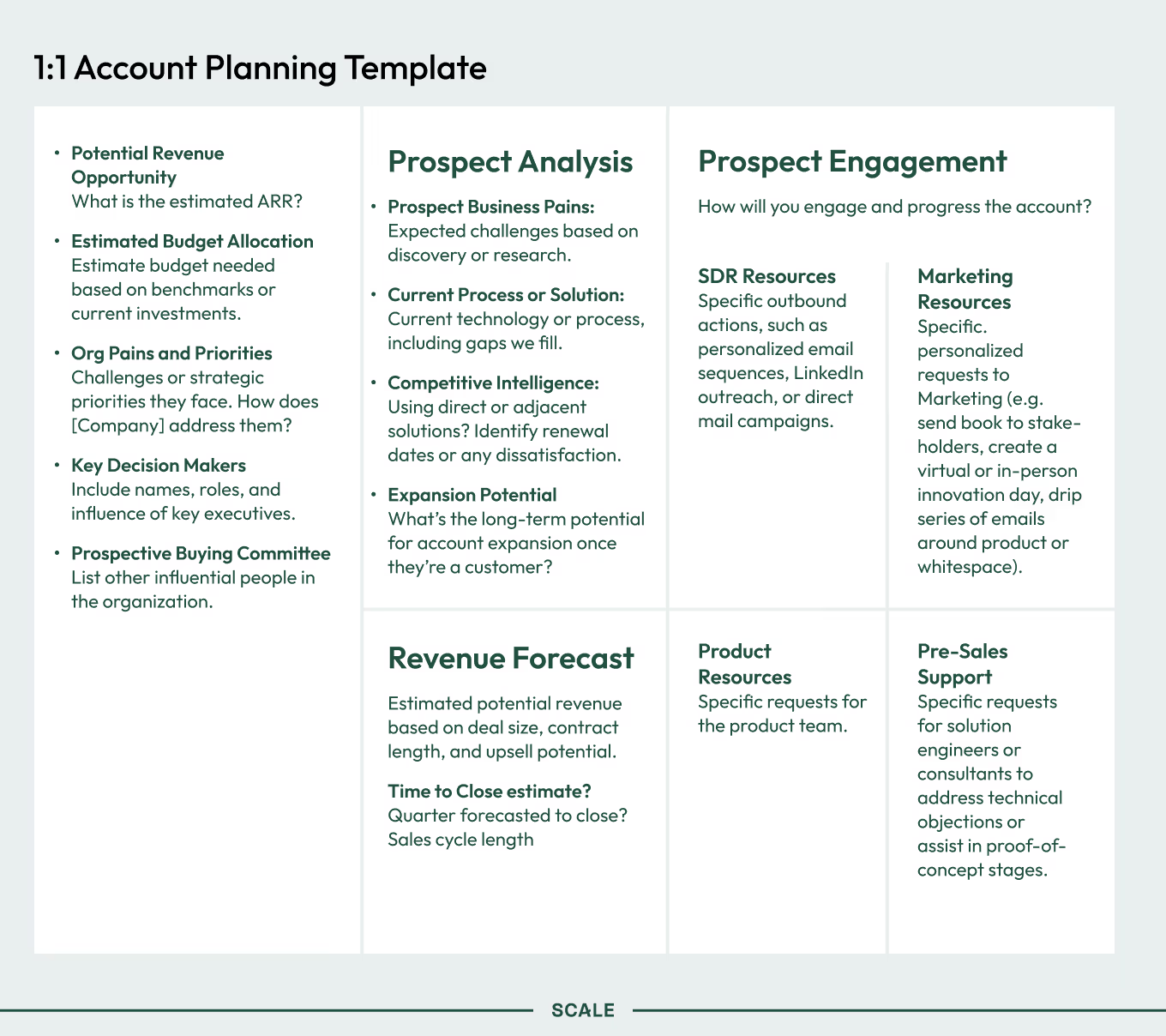
“We had several challenges,” says Blake. “Reps were busy trying to get revenue into the business, information wasn’t always uniformly available, and the details were nuanced. That was the genesis of asking, ‘How can we just do a standardized version, and then people can make tweaks and use their own selling style on top of that?’”Blake started with one-off prompts. But eventually, he and the team built a series of Perplexity spaces and custom GPTs that did this work on their own. He then chained those research phases together with no-code software such as Zapier and n8n and placed a button in Salesforce titled “Run company analysis.” Once pressed, it produced research automatically.
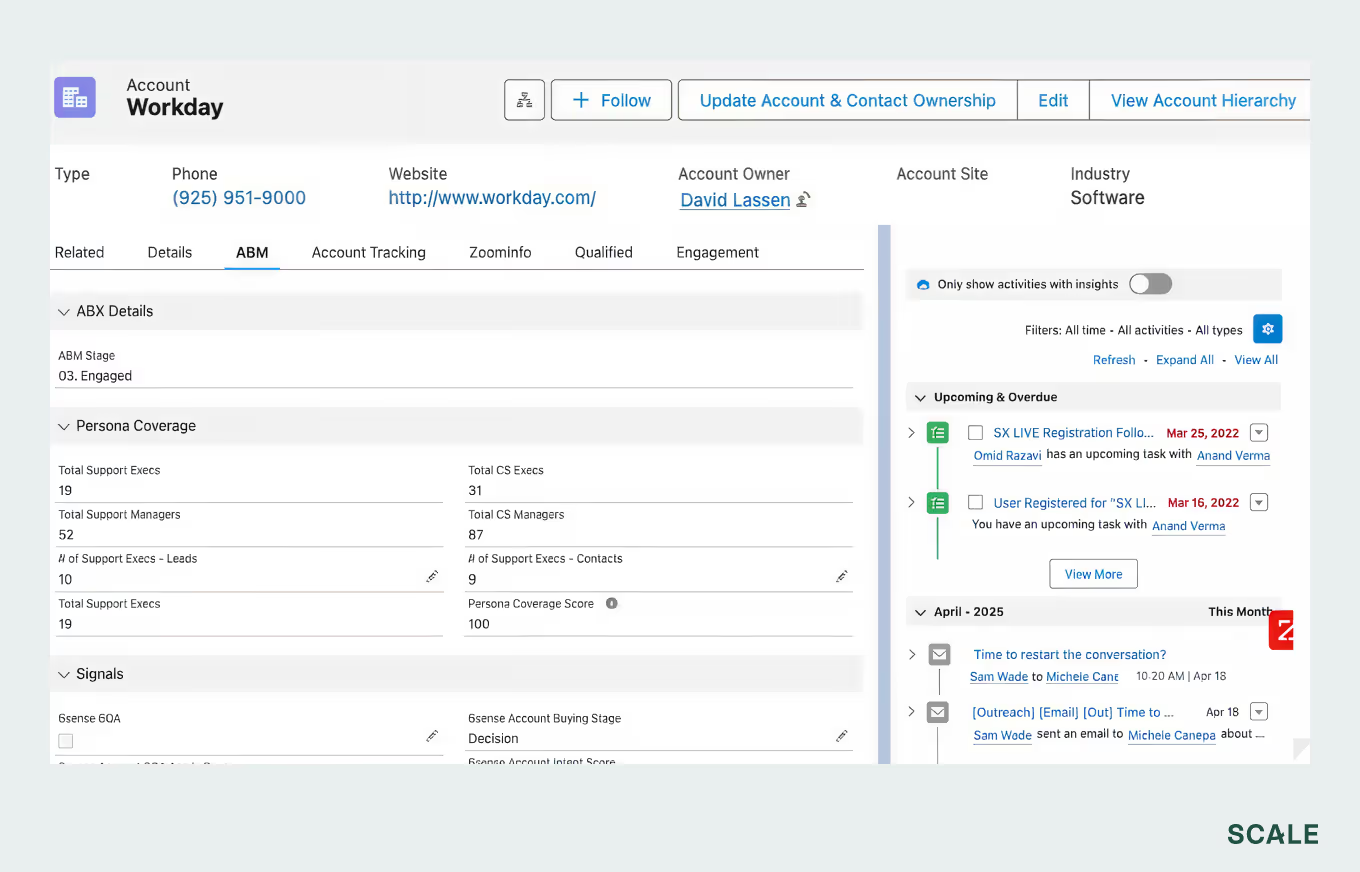
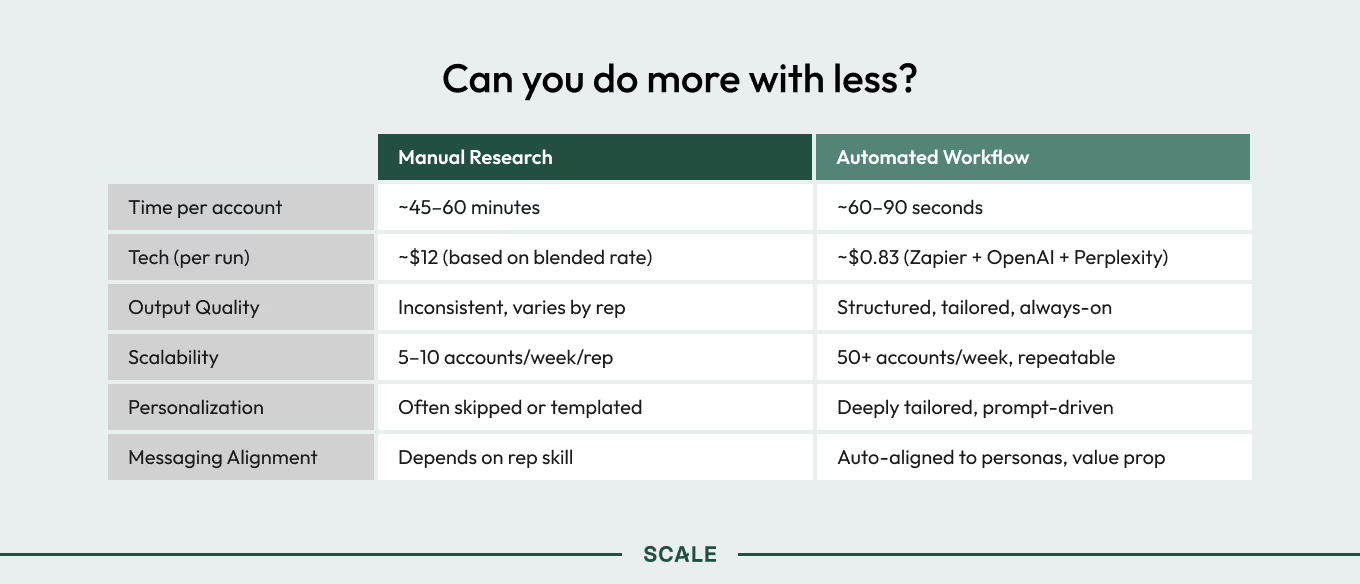
The time savings was significant enough that salespeople adopted it without too much pushing and prodding. And the quality was sufficient that it improved their outreach.
There are many workflows—this is Blake’s
Nowadays, there are a plethora of no-code AI workflow tools available to the non-technical user: Zapier, n8n, Make.com, and others. There are also low-code Model Context Protocol (MCP) connectors that allow your LLM to push code into your software systems to run scripts, do their own research, and update fields. We believe this presages a near future where the go-to-market team’s work involves a lot less prompting and a lot more orchestration—figuring out how those prompts can work together to resolve actual jobs to be done.We cannot stress enough how important this advance is: You do not have to know how to code to achieve code-like effects, far faster than coding ever took. Below, we describe how Blake built his workflow. Things are advancing rapidly, so it’s already somewhat out of date. But you can use it as inspiration to follow the same logic for your particular goals.Be inquisitive. Search for templated workflows online (they are everywhere). Ask for help on our GTM AI Discord server. Have Claude or ChatGPT coach you through creating an n8n process to achieve your desired goal. The main thing is to just get started.Also, please note: The workflow explained below involves giving your LLMs read and write access to Salesforce, which carries a bit of risk. We recommend starting small and, if possible, testing in a sandbox environment. Blake is very comfortable with Salesforce, and so didn’t feel the need to take this precaution.Blake’s workflow is primarily built in Zapier, which Blake feels is a great place to begin automations like this: It’s no-code, linear, has a good interface, and is already approved within most organizations.
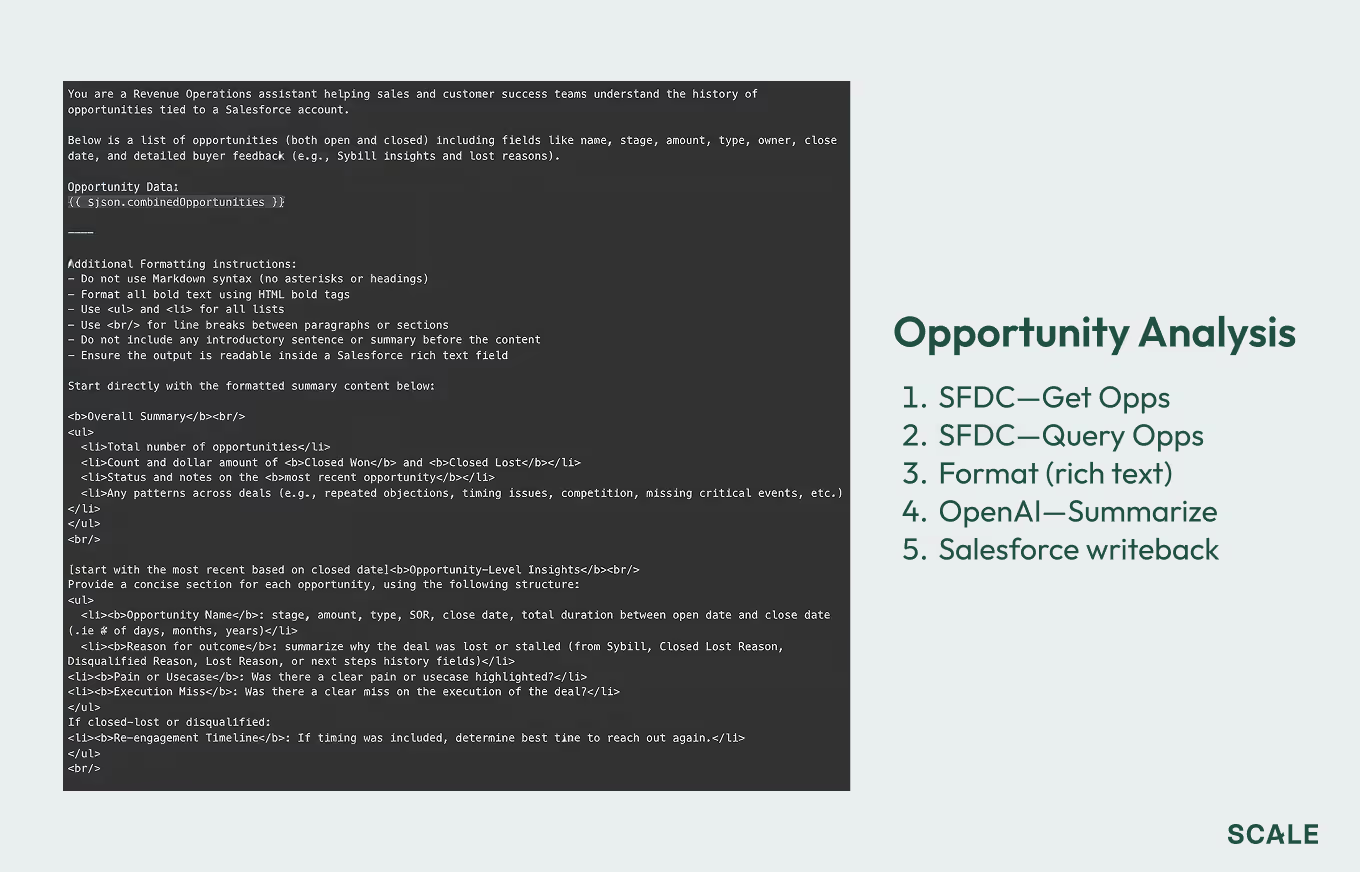
1. Create an automation flow to chain events together
You can start this work on a whiteboard: What’s the end result, and what actions must occur to get there? That linear flow will live in your no-code automation tool, such as Zapier.
- Identify information sources
- Identify information destinations
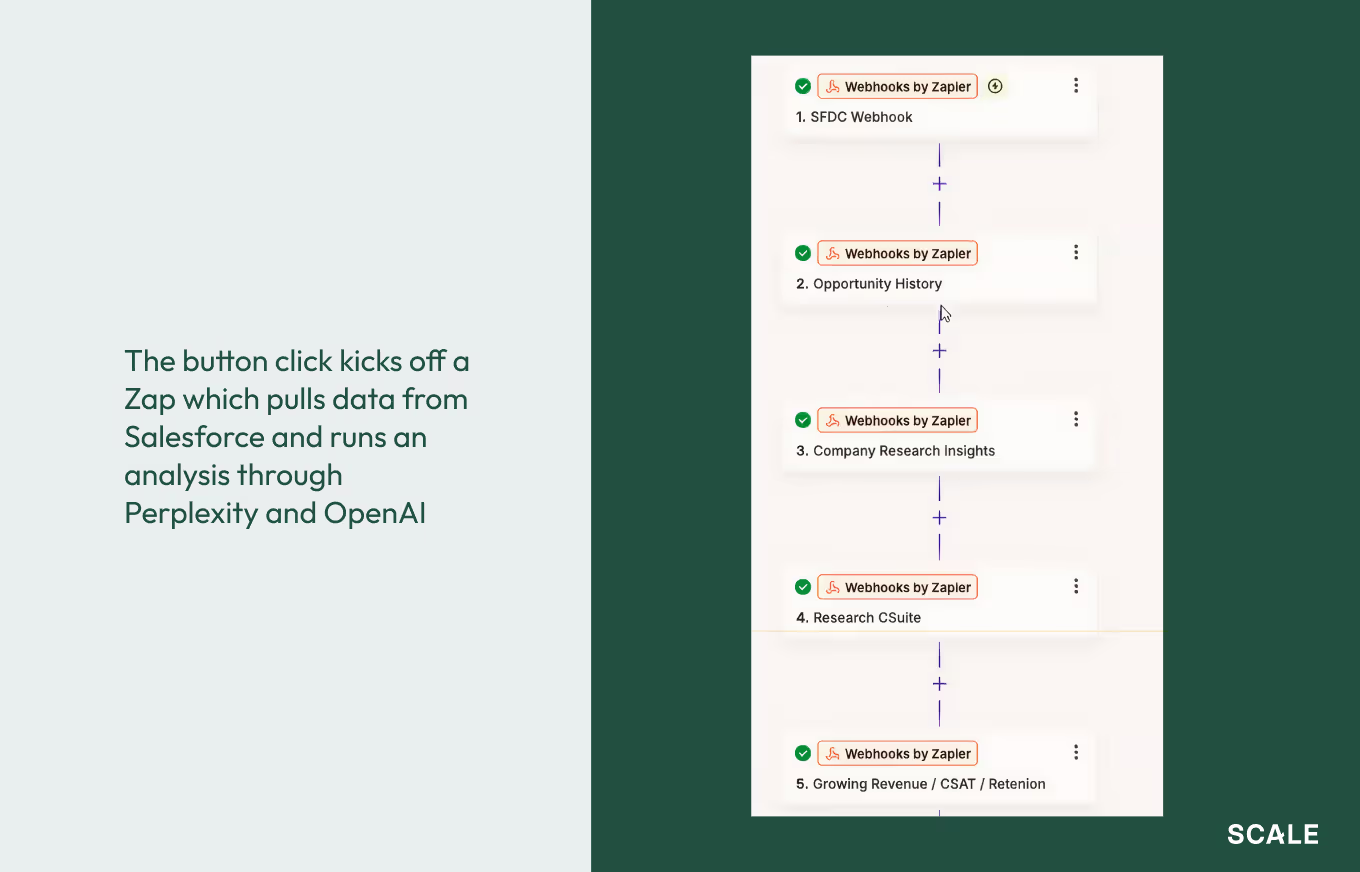
2. Set your automation tool up to grab the correct data
Blake used a Zapier Zap to ping n8n, which was integrated with Salesforce and could grab the Salesforce account ID to pull opportunity data.
3. Use that data to conduct your research
Blake used three different Perplexity instances, each with a different context window, and each analyzing at a different level of thoroughness. It also connected to the SEC.gov API to pull data on public companies.
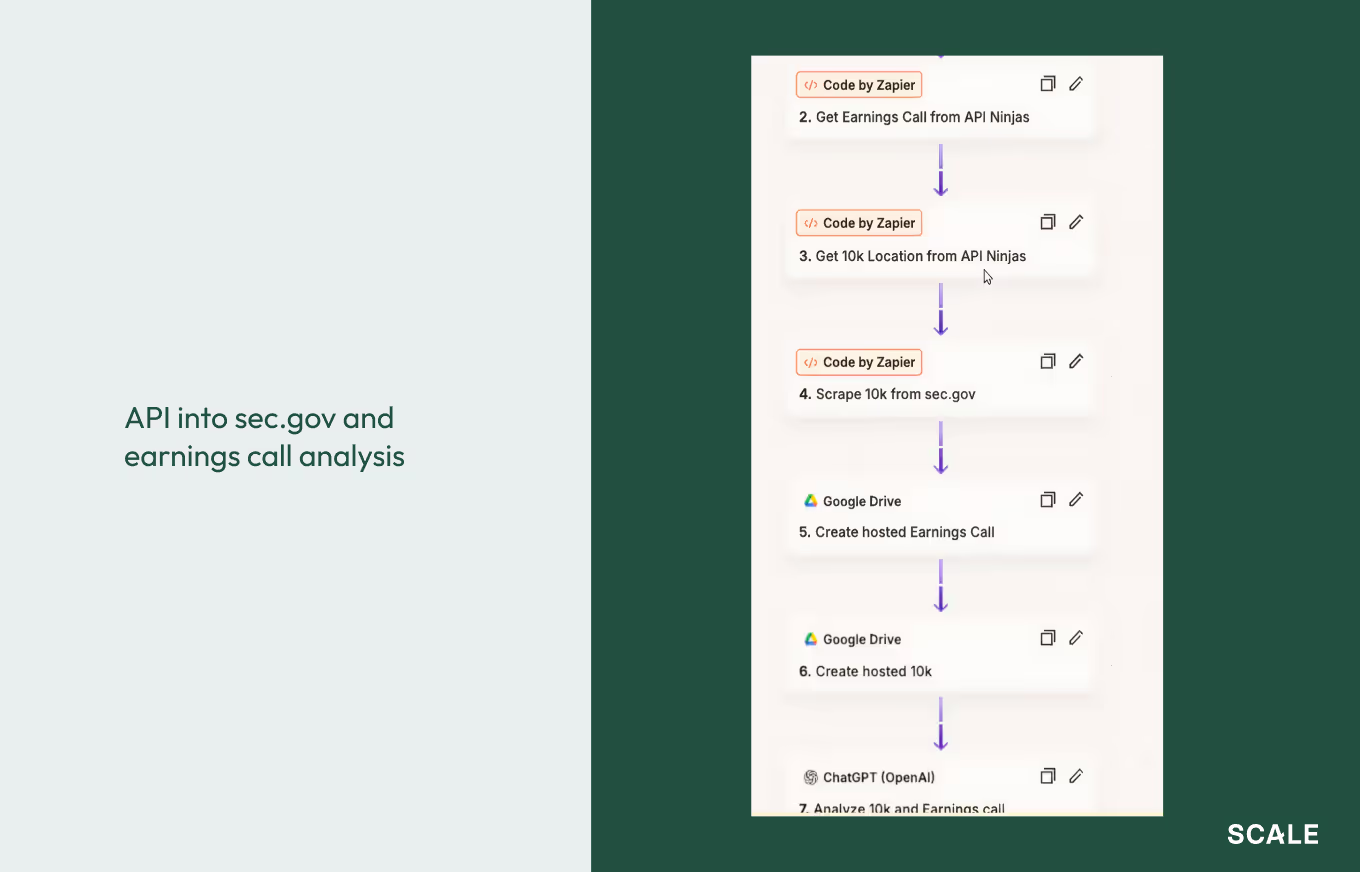
Blake likes using Zapier for projects like this because it’s such a mature product and offers features to control what happens in the event of a run failure. Zapier allows you to throttle the number of prompts you are sending to the LLMs and to automatically retry if the SEC.gov API doesn’t work, which sometimes happens.Blake set up the research models to:
- Scan a company’s products
- Assess leadership’s priorities
- Identify specific leaders
- Look for buying signals
- Look at headcount trends
- Cross-reference public internet data
- Analyze market dynamics
- Assess the alignment with SupportLogic’s products
- Look for external signs of churn, escalations, and complaints
- Cross-reference all the above with Salesforce data
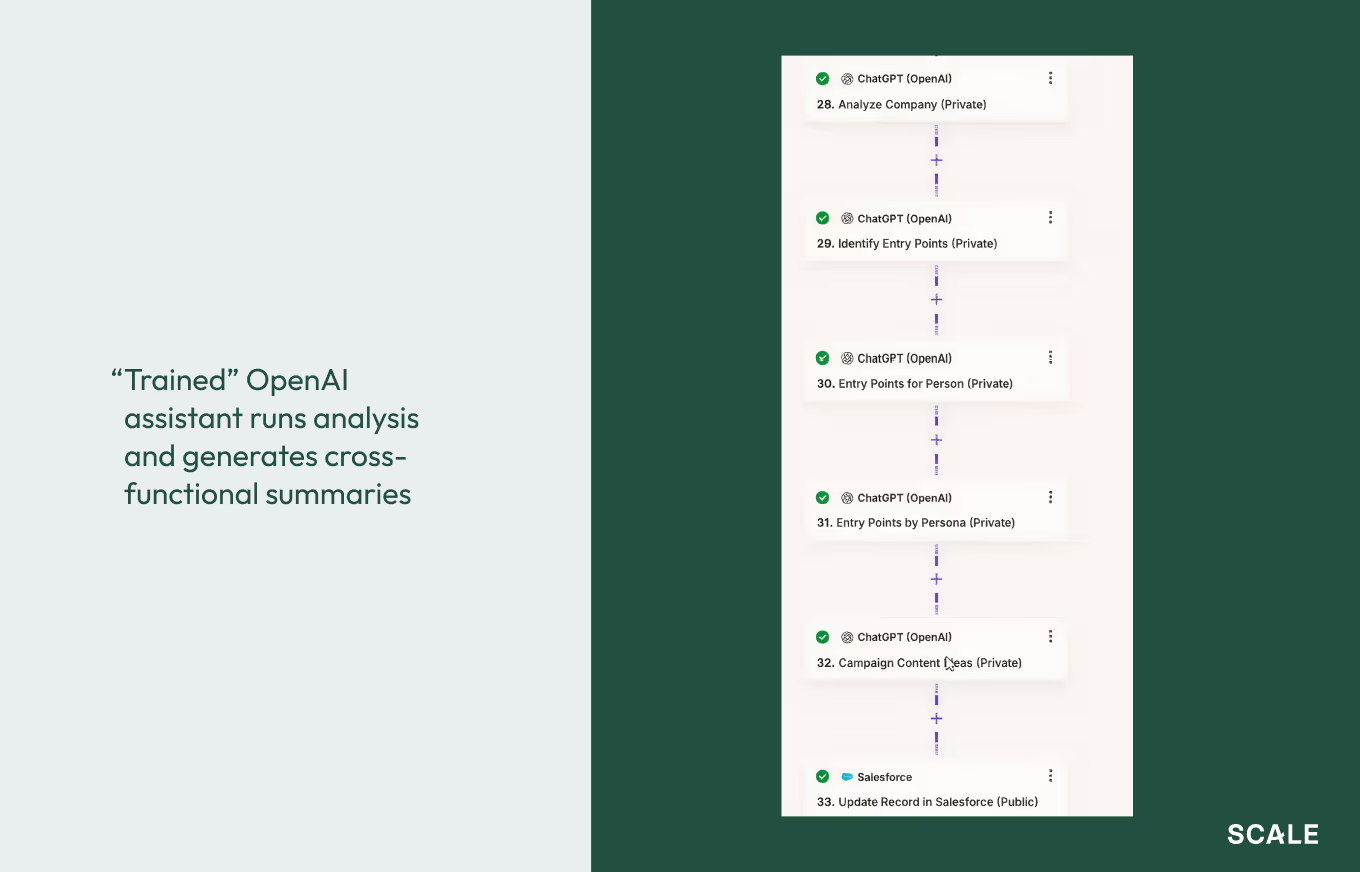
4. Format the data
Very likely, your data won’t be in a usable form—perhaps there’s too much of it or it’s a wall of text. Run a script to reformat it. Blake vibe-coded his.
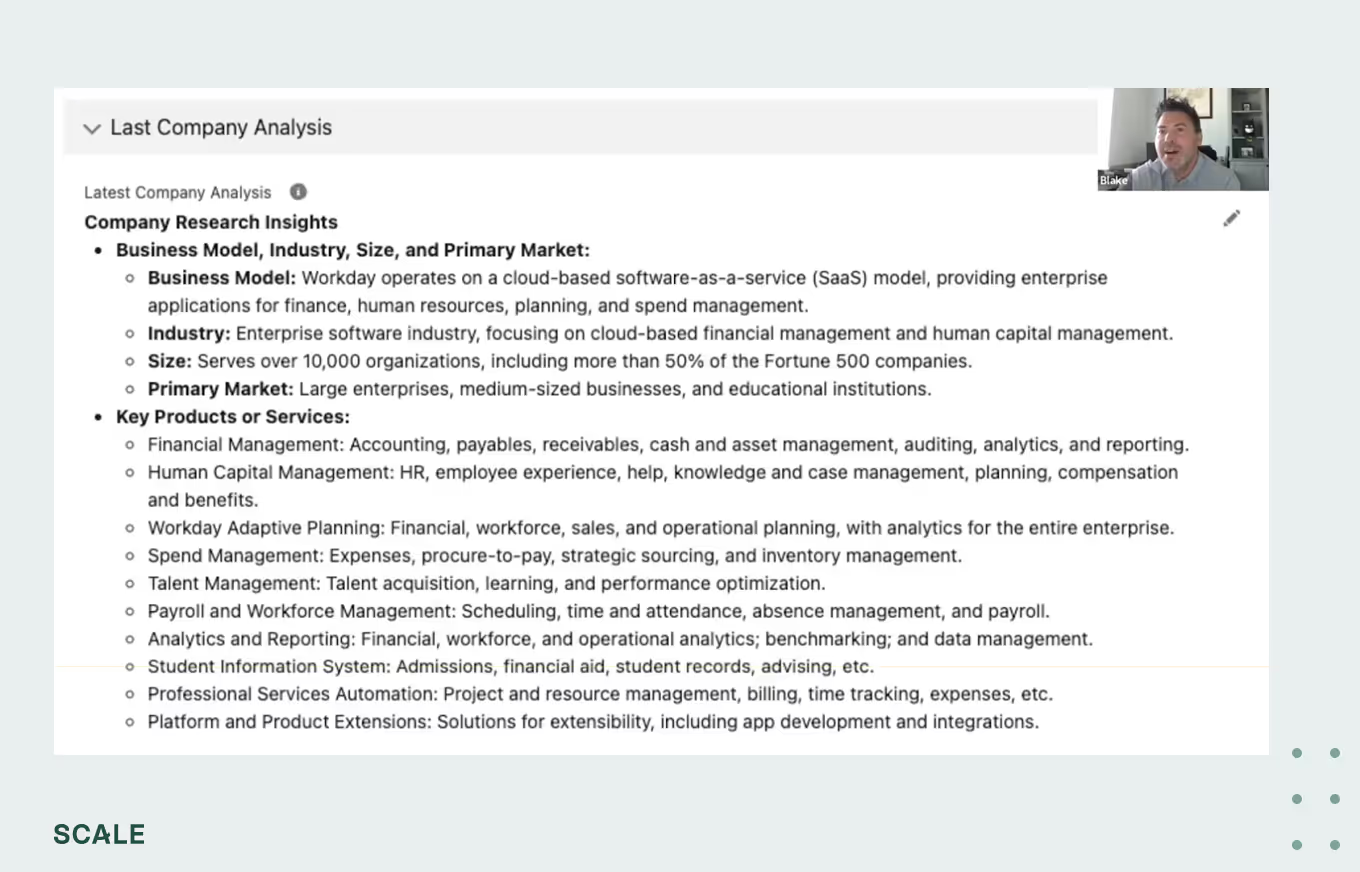
5. Push the data into the destination system
In Blake’s case, the resulting readout was fairly long because they wanted an exhaustive analysis that each team could cut down and make use of.
Adopting automated account analysis
At SupportLogic, salespeople were initially skeptical about whether the automated analysis was correct. But Blake and team were honest about the purpose of the project and its limitations. Ultimately, reps were won over by the sheer speed of this method—45-60 minutes saved per account. After a while, reps would reflexively check accounts to see if that information was there, and if it wasn’t, they’d ask their SDR why not, and the SDR would hit the button.Your challenge needn’t be exactly like Blake’s to start experimenting with orchestration. We’re past the prompt era—it’s time to find a project where multiple actions together can help you do the work.
News from the Scale portfolio and firm